ClickUp is a cloud-based project management and team collaboration platform.
It combines tasks, documents, project planning, reporting, and workflow automation in a single workspace.
What Is ClickUp?
ClickUp helps individuals and teams organize projects, assign responsibilities, track deadlines, and coordinate work.
Its flexible workspace structure makes it suitable for agencies, startups, operations teams, and businesses managing multiple projects.
Key Features of ClickUp
1. Task Management
Users can create tasks and subtasks, assign team members, set due dates, and track project progress.
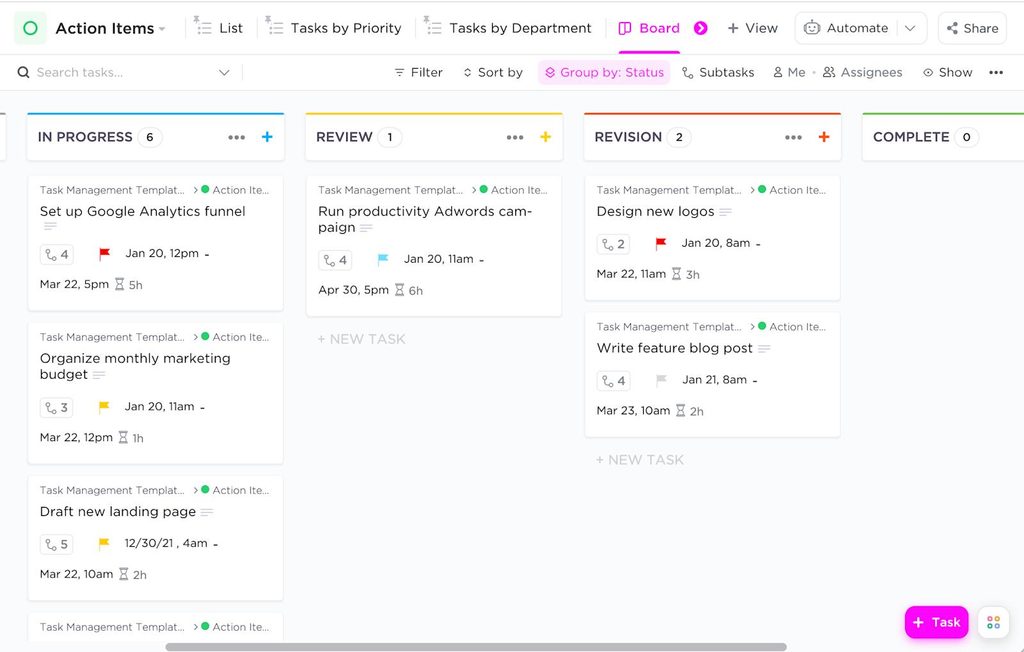
2. Multiple Project Views
ClickUp offers views such as List, Board, Calendar, Gantt, and other project planning formats.
These allow teams to organize the same work in different ways.
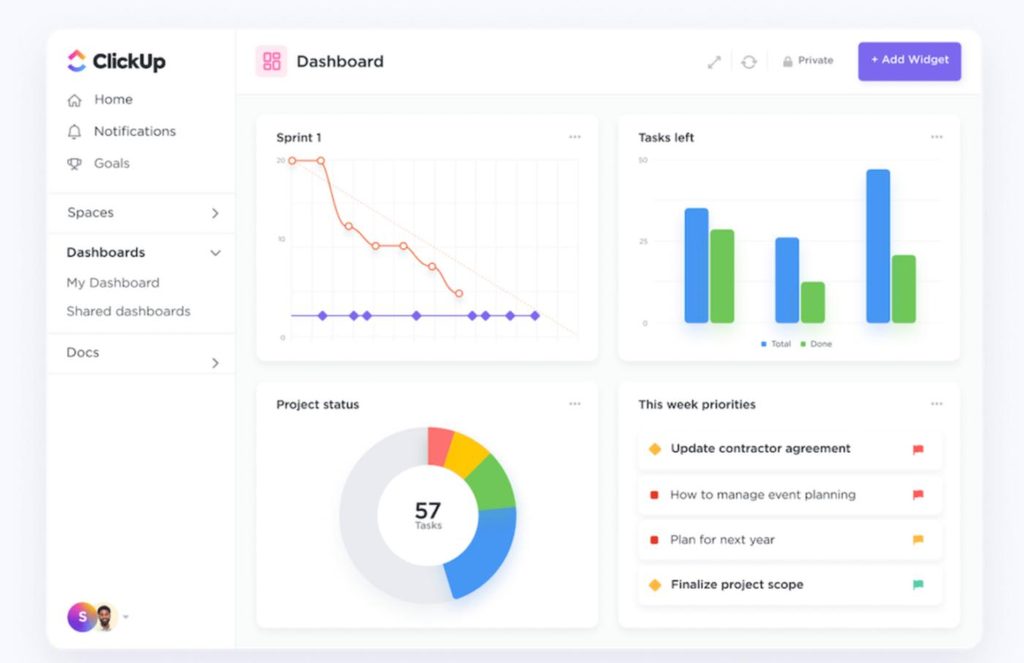
3. ClickUp Docs
Teams can create documents, project instructions, and shared resources within their workspaces.
4. Workflow Automation
ClickUp supports automated actions based on triggers, such as changes to task status or assignments.
Automation limits depend on the subscription plan.
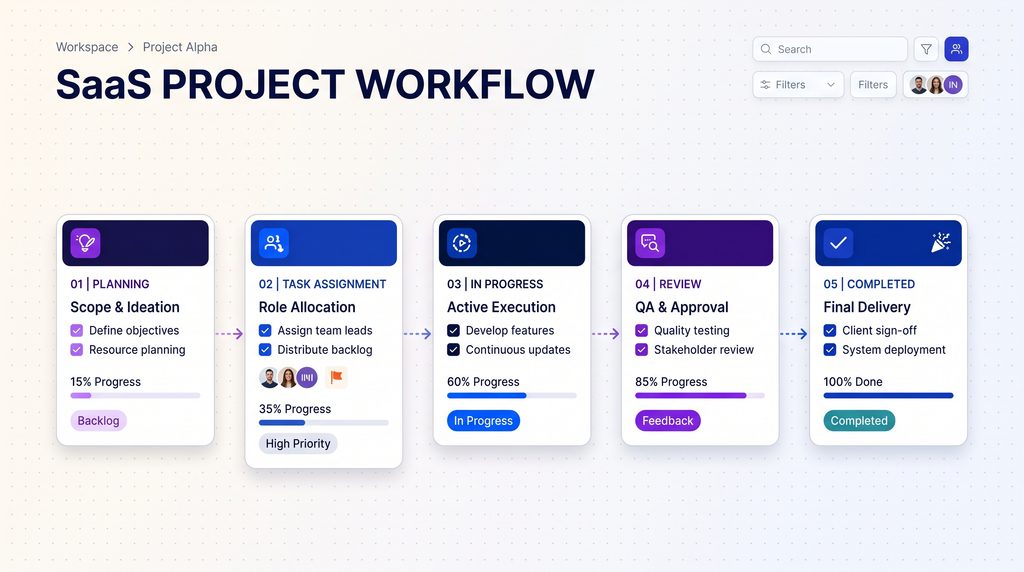
5. Dashboards and Reporting
Project managers can monitor workloads, tasks, and progress through customizable dashboards and reporting features.
6. ClickUp AI
ClickUp offers AI features for writing, summarizing information, answering workspace questions, and assisting with selected work processes.
AI products and usage allowances may require separate subscriptions.
ClickUp Pricing in 2026
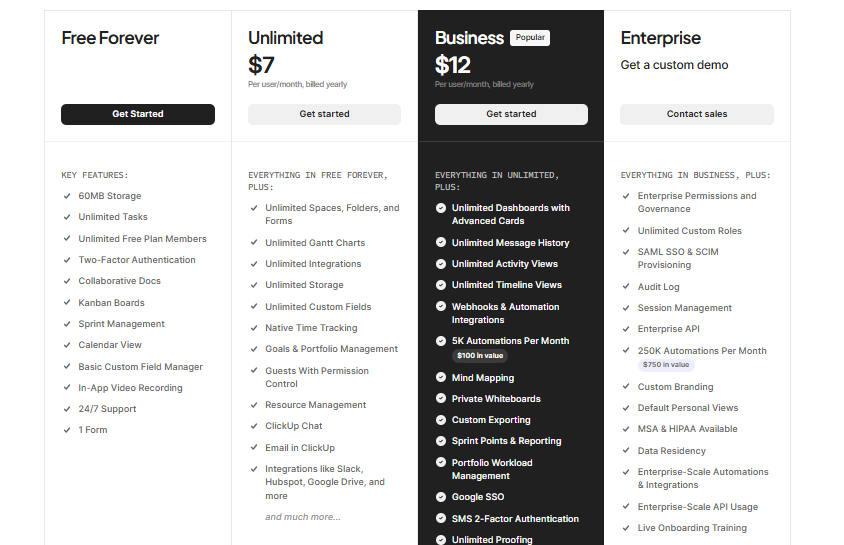
Monthly billing costs more than the equivalent annually billed rates.
AI features may carry additional costs depending on the selected offering.
ClickUp Pros and Cons
Pros
- Flexible project organization
- Multiple task and project views
- Built-in documents and collaboration
- Workflow automation
- Free plan available
- Suitable for different team structures
Cons
- Can take time to learn
- Many settings may overwhelm new users
- Advanced features require paid plans
- AI services may increase subscription costs
- Complex workspaces require ongoing organization
Who Should Use ClickUp?
ClickUp is worth considering for marketing agencies, software development teams, project managers, remote teams, and businesses coordinating multiple workflows.
Smaller teams with simple task requirements may prefer a less complex setup.
ClickUp Alternatives
Popular alternatives include Asana, Trello, Monday.com, and Notion.
The right choice depends on your preferred workflow, reporting requirements, team size, and budget.
Final Verdict
ClickUp provides a broad set of project management and collaboration features.
Its flexibility makes it appealing for teams managing complex projects, although the learning curve can be significant.
Businesses willing to spend time configuring their workspace may find it a useful central platform for coordinating work.
Explore ClickUp: https://clickup.com/
Research-based review. Check current subscription and AI pricing before subscribing.