
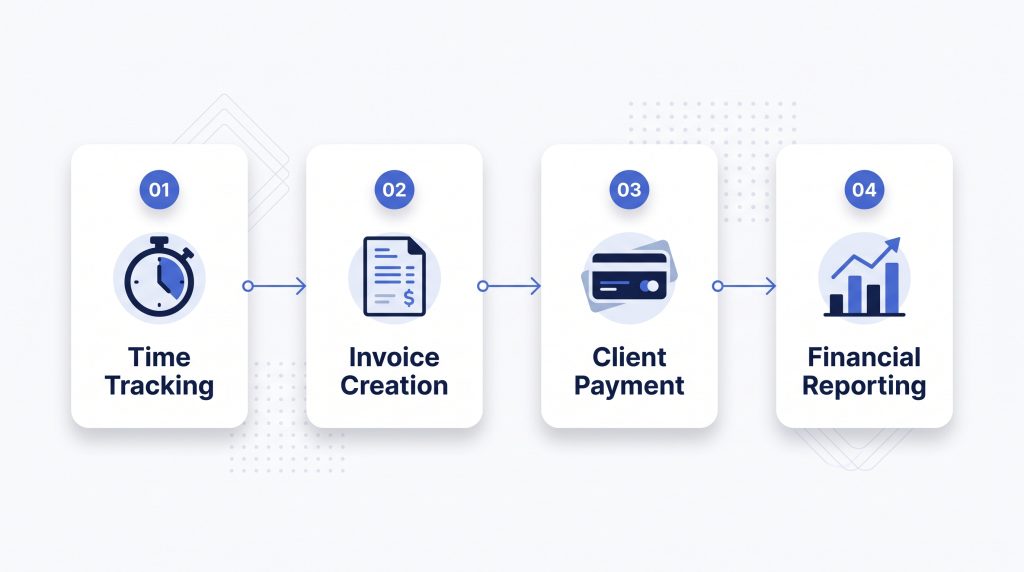
FreshBooks is a cloud-based accounting and invoicing platform built for freelancers, consultants, agencies, and small service businesses. It combines invoicing, expense tracking, time tracking, and financial reporting in one place.
But is FreshBooks the right accounting software for your business? This review examines its features, costs, strengths, and limitations.
What Is FreshBooks?
FreshBooks helps business owners manage client billing and day-to-day finances without relying entirely on spreadsheets or manual bookkeeping.
Its client-focused approach makes it especially useful for businesses that invoice customers for services, projects, or billable hours.
Key Features of FreshBooks
1. Professional Invoicing
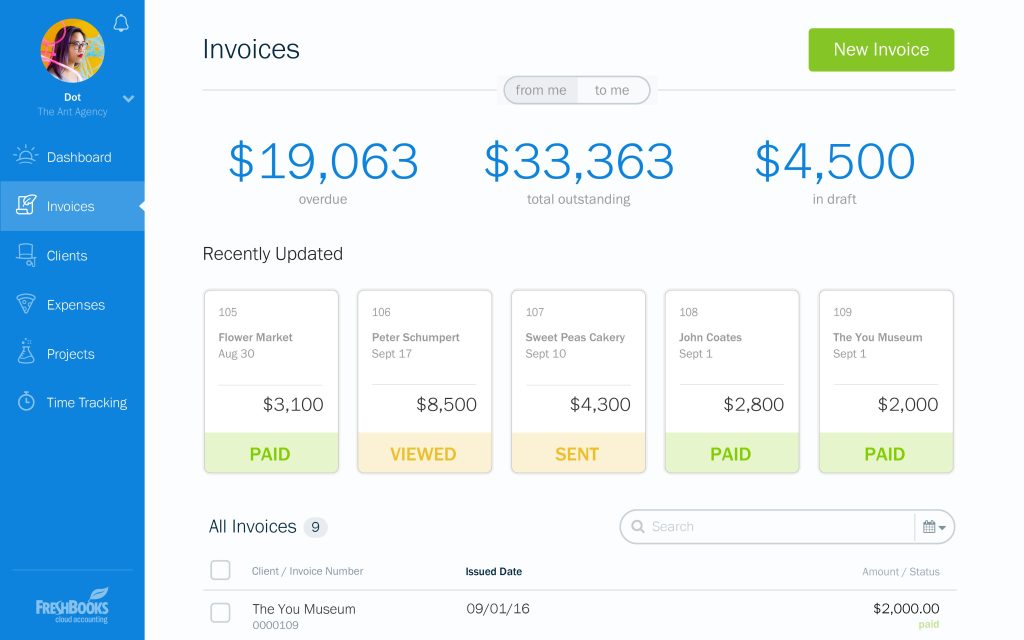
FreshBooks allows users to create customized invoices, send payment reminders, accept online payments, and monitor outstanding balances.
2. Expense Tracking
Businesses can record expenses, organize financial transactions, and capture receipts to simplify bookkeeping.
3. Time and Project Tracking
Freelancers and agencies can record billable hours and connect time spent on projects to client invoices.
4. Financial Reporting
FreshBooks provides accounting reports, including profit and loss statements, to help business owners understand their financial position.
5. Payment Collection
Customers can pay invoices through supported card payments, bank transfers, and other available payment methods.
FreshBooks Pricing in 2026
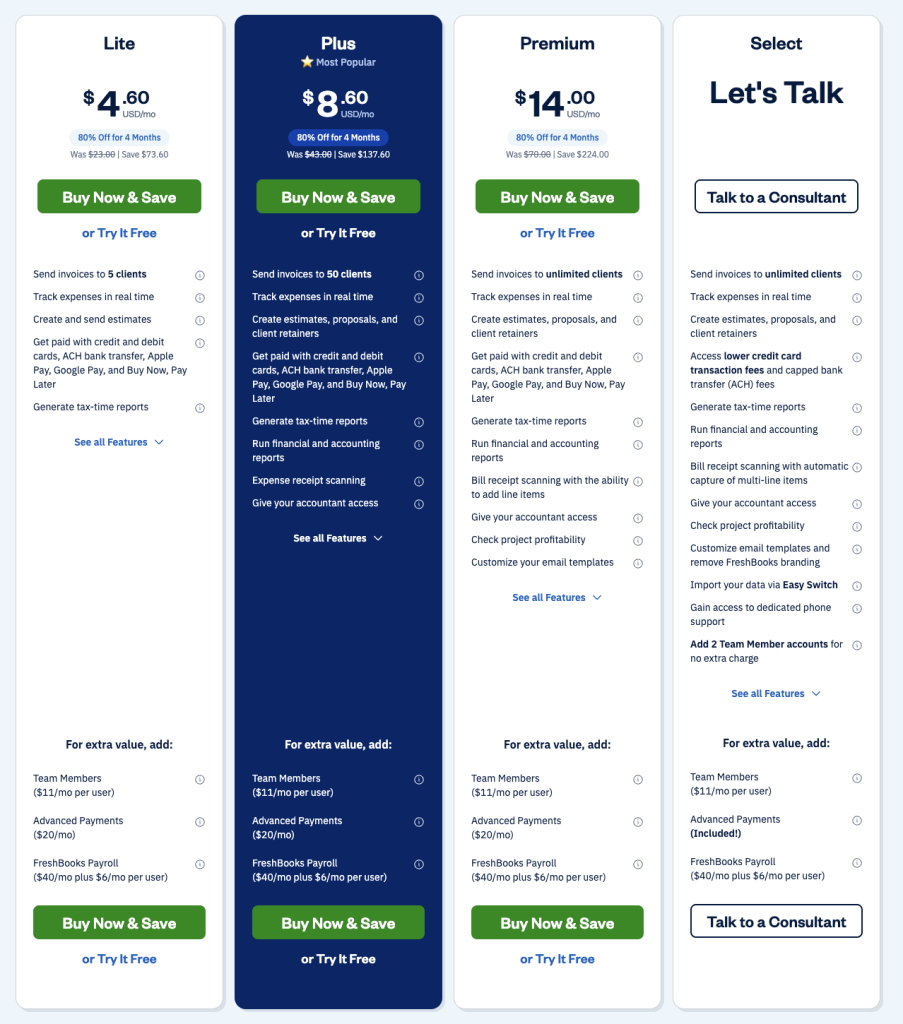
Lite supports invoicing up to five clients, Plus up to 50 clients, and Premium supports unlimited clients. Additional team members and some services may cost extra.
Promotional discounts may reduce the initial subscription cost.
FreshBooks Pros and Cons
Pros
- Client-friendly invoicing tools
- Built-in expense and time tracking
- Useful features for service businesses
- Online payment collection
- Financial reporting capabilities
Cons
- Client limits on lower-priced plans
- Additional team member fees
- Costs can increase as a business grows
- May be less suitable for complex inventory operations
Who Should Use FreshBooks?
FreshBooks is worth considering for freelancers, independent consultants, creative agencies, contractors, and service businesses that regularly invoice clients.
Businesses requiring more extensive inventory management or complex accounting workflows should compare it with alternatives such as Xero.
FreshBooks vs Xero
FreshBooks emphasizes client billing, project tracking, and service business workflows.
Xero places greater emphasis on general ledger accounting, bank reconciliation, and financial management for growing teams.
The better choice depends on whether your priority is managing client invoices or coordinating broader business finances.
Final Verdict
FreshBooks is a strong option for service-based businesses that want invoicing and accounting in one platform.
Its main limitation is that client limits and paid add-ons can increase costs as a company grows.
For freelancers and small agencies, it deserves consideration alongside other accounting software.
Explore FreshBooks: https://www.freshbooks.com/
Research-based review. Pricing and product availability may change.